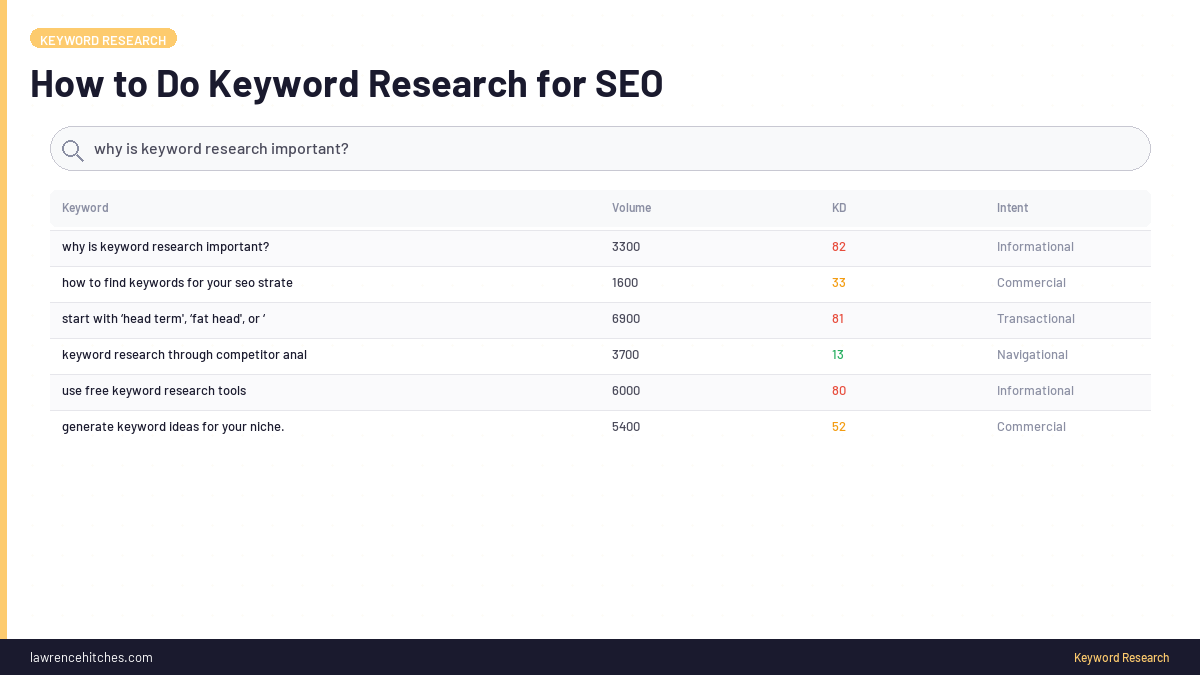
Keyword research is the process of finding the actual phrases real people type into search engines and AI assistants, then mapping those phrases to content that answers the underlying question. In 2026, with AI Overviews, ChatGPT Search, and Perplexity reshaping what gets clicked, keyword research has shifted from "find high-volume phrases and stuff them into pages" to "find the queries that still convert, find the LLM-shaped queries AI engines need context for, and build content that survives both classic SERPs and AI displacement." This guide covers the keyword research workflow I use across StudioHawk client work in 2026, the tools that matter, the queries to chase vs avoid, and the modern AI-era twists most guides still miss.
This is the complete keyword research guide and practitioner workflow. For ecommerce-specific keyword research, see Ecommerce Keyword Research. For Claude-assisted keyword research workflows, see Claude for Keyword Research.
What Is Keyword Research and Why It Still Matters in 2026
Keyword research is the foundation of organic search strategy. Not because keywords are the only ranking factor (they aren't, by a long way), but because keywords are the bridge between what users want and what content you build. Skip keyword research and you build content nobody searches for. Do it well and every page on your site has a clear job.
What's changed since 2020:
- Volume metrics are softer signals. A 1,000-search/month keyword in 2020 could be a 200-click/month opportunity. The same keyword in 2026 might be a 30-click/month opportunity because AI Overviews answer 70% of the queries directly.
- Long-tail and LLM-shaped queries matter more. Specific verbose questions (which AI Overviews don't displace) are now the safer click sources than broad informational queries.
- Bing data is gold-tier. With ChatGPT Search and Microsoft Copilot running on Bing's index, position in Bing correlates with AI-mediated traffic in a way it didn't pre-2024.
- Intent classification matters more than volume. A low-volume commercial query (action intent) often beats a high-volume informational query (eaten by AI Overviews) for actual revenue.
The 2026 Keyword Research Workflow (Step by Step)
The repeatable process I use across StudioHawk client work. Total time: 2-4 hours for a strategic keyword set; 30 minutes for a single article-targeting brief.
Step 1: Define the Central Entity and Buyer Personas
Before opening any keyword tool, write down: who is this site for, what do they buy/hire/subscribe to, what problem are they solving when they show up. If you can't answer this in three sentences, no keyword research will save the strategy.
Output: a 1-page brief covering the business model, primary persona, and 5-10 root topics the persona cares about.
Step 2: Generate the Seed Keyword List
From the brief, derive 10-30 root seed keywords. Mix of:
- Branded, business name + close variants (will rank trivially, not the focus)
- Category, generic terms for what you sell ("seo services", "shopify plus development")
- Buyer pain, what users type when frustrated ("why is my site not ranking", "how to track ai search traffic")
- Action, commercial intent variants ("hire seo consultant", "best ai seo agency")
- Comparison, evaluation queries ("ahrefs vs semrush", "claude vs chatgpt for seo")
Step 3: Expand via Tools (Pick Your Stack)
Run each seed through your preferred research tool. Tools differ in coverage, freshness, and pricing, no single source has everything.
| Tool | Best for | Cost (2026) |
|---|---|---|
| Google Search Console | Queries you ALREADY get impressions for, the highest-signal source | Free |
| Bing Webmaster Tools | Niche/long-tail/LLM-shaped queries GSC drowns out, plus Bing powers ChatGPT Search | Free |
| Ahrefs | Best backlink-aware keyword data, competitor research, deepest historical index | $129+/mo |
| Semrush | Strong organic + paid overlap data, SERP feature analysis, market share view | $140+/mo |
| Google Keyword Planner | Volume bands (now imprecise), commercial intent signals from Ads data | Free with Google Ads account |
| AlsoAsked / AnswerThePublic | Question-format expansion, useful for FAQ generation | Free tier + paid |
| Keywords Everywhere | Browser-extension volume overlay, fast iteration | $15+/mo |
| Claude / ChatGPT | LLM-driven query expansion, intent clustering, gap analysis | API tokens |
Step 4: Pull GSC + Bing CSVs (the highest-signal step)
For any existing site, this is the single highest-leverage data source. Both GSC and Bing Webmaster Tools show queries you ALREADY have impressions for, including queries you didn't know you were ranking for.
Where the gold lives:
- Striking distance, queries at positions 4-15 with non-trivial impressions. These are pages that need a small push (better title, meta, snippet structure) to break into top 3.
- Bing tier-1 opportunities, queries with 5+ impressions at positions 1-15 where no internal page targets the query. These are immediate "build new page" opportunities.
- LLM-shaped queries, verbose questions like "what are the common types of link manipulation in search engine optimization?" or "how to build a business case for investing in an enterprise seo platform". These signal AI engines using your content as context.
Step 5: Cluster Queries by Intent
Sort the expanded list by intent type, not by volume:
- Informational ("what is X", "how does Y work"), increasingly eaten by AI Overviews. Build only if you have a unique data angle or aggregator.
- Navigational ("brand name X", "X login"), captured trivially if branded.
- Commercial investigation ("best X for Y", "X vs Y", "X reviews"), strong revenue intent. Build for these.
- Transactional ("hire X", "buy Y", "X pricing"), highest revenue intent. Always build for these.
The 2026 calculus: a 50-search/month transactional query usually beats a 5,000-search/month informational query for actual revenue.
Step 6: Map Queries to Content
For each query cluster, decide:
- Existing page covers this?, refresh existing.
- Cluster of 8+ related queries?, build a single aggregator/practitioner page covering the whole cluster (the "practitioner aggregator" pattern).
- High-intent commercial query, no page?, build a dedicated landing page (highest leverage).
- Long-tail single query, no page?, add as an FAQ on the closest existing topic-relevant page.
- Multiple existing pages competing for the same intent?, consolidate via 301 redirects to one canonical (cannibalisation diagnostic).
Step 7: Build the Brief and Ship
For each "build new page" decision, write a one-page brief covering: target query, secondary queries, primary intent, competitor analysis (top 5 ranking pages), unique angle (what makes your page worth ranking over them), proposed H2 structure, internal links in/out. Then ship.
How to Do Keyword Research in 5 Minutes (the Quick Version)
For when you don't have 4 hours, the 5-minute method works for single-article briefs:
- Type your topic into Google. Note the SERP features (AI Overview present? Featured snippet? People Also Ask box?). If AI Overview is present, the query is being eaten, pick a more specific variant.
- Open Google Search Console. Filter queries by topic. Sort by impressions desc. Anything at position 4-15 with 20+ impressions is your priority list.
- Open Bing Webmaster Tools. Same filter, same sort. Bing surfaces niche queries GSC misses.
- Pick the query with highest impression-to-position ratio. That's the best lift opportunity for the time you have.
- Write the brief in 60 seconds. Title (primary keyword in first 5 words), H1, snippet-lead, 5-7 H2s, FAQ.
This won't replace strategic keyword research for the whole site, but it works for tactical "what should I write next" decisions.
What to Do AFTER Keyword Research
The mistake most teams make: spend 4 hours on keyword research, then no clear next step. Here's the after-research workflow:
- Prioritise the list. Score each opportunity by: estimated traffic uplift × probability of ranking within 90 days × business value of the traffic. Top 20 wins; everything else parks.
- Map to content calendar. Assign each top-20 item to a publish week. Aim for 2 new pages + 1 refresh per week (the cap from our 2026 strategy, more than this and quality drops).
- Audit existing internal links. For each new page on the calendar, identify 3-5 existing pages that could naturally link to it. Add those links when the new page ships.
- Set tracking. Add the target queries to your tracked keyword list (SEOtesting, Ahrefs, etc.). Review weekly for movement.
- Schedule the freshness loop. Pick a quarterly date to revisit the keyword list and re-prioritise. Search behaviour shifts; the priority list will be different in 90 days.
Modern AI-Era Twists Most Guides Miss
1. AI Overviews Eat Volume but Surface Long-Tail
For broad informational queries ("what is SEO"), AI Overviews now displace organic clicks at scale. For specific verbose queries ("what are the common types of link manipulation in search engine optimization"), AI Overviews don't appear. Skew your keyword research toward the verbose end.
2. Bing-as-Signal Source
Pull a fresh Bing Webmaster Tools CSV monthly. Triage opportunities by tier (1-15 pos with no page = build new; clustered queries = aggregator; striking distance = refresh). Bing's lower competition surfaces niche queries GSC drowns out, AND Bing now powers ChatGPT Search + Microsoft Copilot.
3. LLM-Shaped Queries Are Real
When you see verbose, grammatically-complete query strings in Bing data ("how do I build a business case for investing in an enterprise seo platform"), that's an AI engine using your content as context. Optimise for them. They convert at higher rates because they signal high-intent users running AI-assisted research.
4. Action-Intent Queries Are Resilient
"hire X", "compare Y", "audit Z", "X services in [city]", these survive AI Overview displacement because AI Overviews rarely answer commercial intent directly. A 50-search/month action query is now worth more than a 5,000-search/month informational query for most businesses.
5. Schema Action Types Are the New Frontier
Use Schema.org Action types (SearchAction, BuyAction, ReserveAction) on pages that handle agent-callable actions. Agents using Claude Computer Use, OpenAI Operator, and Microsoft Copilot Vision increasingly choose sites with declared actions over sites that force them to infer from UI. Full guide.
6. Cluster Saturation Is a Real Problem
If you have 5+ pages on the same site competing for variants of one intent, none rank well. The signal gets split. The diagnostic: 5+ query variants impressing across 5+ URLs, all positioned 70-100. The fix: hard-consolidate via 301 redirects to one canonical page. (We did this on this site's keyword research cluster in May 2026, the page you're reading now is the canonical.)
Vertical Variations
The general workflow above adapts to most sites, but two verticals have specific patterns worth calling out:
- Ecommerce: product + category keyword research has its own dynamics, includes brand+product modifiers, comparison-shopping intent, seasonal patterns. Full ecommerce guide.
- AI-tool-assisted research: Claude (and ChatGPT, Perplexity) can accelerate query expansion, intent clustering, and gap analysis if used with the right prompts. Full Claude-for-keyword-research guide.
Common Keyword Research Mistakes
- Targeting volume without intent. A 10,000-search/month query that's all informational and eaten by AI Overviews is worth less than a 100-search/month commercial query.
- Ignoring Bing. Most SEOs don't pull Bing data. The teams that do find opportunities monthly that competitors miss.
- Building one page per variant. Cluster saturation kills rankings. 5 pages on "keyword research" variants will all underperform vs 1 strong canonical.
- Skipping GSC altogether. Free, immediate, highest-signal source. The "queries you already get impressions for" data is gold.
- Using only AI tools. Claude can expand queries fast but can't tell you which queries actually convert on YOUR site. Combine with GSC + Bing data.
- Targeting brand-protected queries. "Notion alternative" is a battlefield owned by Notion + competitors with brand-name volume. Pick your battles.
- No after-research execution plan. Research without a content calendar = wasted hours.
See the the Claude SEO skills library for ready-to-run versions of these workflows, open source and free.
FAQ: Keyword Research for SEO
What is keyword research in SEO?
Keyword research is the process of finding the actual phrases users type into search engines and AI assistants, then mapping those phrases to content that answers the underlying question. It's the bridge between what users want and what content you build. Skip it and you build content nobody searches for.
How do I do keyword research in only 5 minutes?
The 5-minute method: type your topic into Google (note SERP features), open Google Search Console (filter by topic, sort by impressions desc), open Bing Webmaster Tools (same filter), pick the query with the highest impression-to-position ratio at positions 4-15, write a 60-second brief (title with primary keyword in first 5 words, snippet-lead, 5-7 H2s, FAQ). Works for tactical "what should I write next" decisions but doesn't replace strategic site-wide keyword research.
What's the best free keyword research tool in 2026?
Google Search Console (for queries you already get impressions for) and Bing Webmaster Tools (for niche/long-tail queries GSC misses, and Bing now powers ChatGPT Search). Both free, both highest-signal sources because they show what's actually happening for your site rather than estimated volumes. AlsoAsked and Keywords Everywhere fill specific gaps for question-format expansion and volume overlay.
What should I do after keyword research?
The after-research workflow: prioritise the list (estimated traffic × probability of ranking within 90 days × business value), map to content calendar (2 new pages + 1 refresh per week max), audit existing internal links to identify 3-5 pages that could link to each new page, add target queries to tracked keyword list, schedule a quarterly freshness review. Research without execution is wasted time.
How is keyword research different in the AI Overview era?
Three shifts: (1) volume metrics are softer signals because AI Overviews displace clicks on broad informational queries, (2) long-tail verbose queries (which AI Overviews don't displace) are now safer click sources than broad informational queries, (3) action-intent queries ("hire X", "compare Y") are resilient because AI Overviews rarely answer commercial intent directly. Skew toward verbose long-tail + commercial intent.
Why does Bing data matter for keyword research in 2026?
Bing now powers ChatGPT Search, Microsoft Copilot, and an increasing share of AI-mediated queries. Position in Bing correlates with AI traffic in a way it didn't pre-2024. Bing's lower overall competition also means niche queries surface to the top of CSV exports rather than getting buried, so monthly Bing CSV pulls regularly find opportunities GSC misses. Free tool, gold-tier signal.
How many keywords should I target per page?
One primary target query plus 5-15 closely related variants. The variants should be intent-matched (not just lexically similar). For example, "keyword research" + "how to do keyword research" + "keyword research process" all share intent, fine to target on one page. "Keyword research" + "keyword research tools list" might or might not, depends on whether the user asking the second question wants the same content. When in doubt, look at what's currently ranking for the variant.
What's the difference between keyword research for SEO and for AI search?
SEO keyword research targets queries users type into Google/Bing search bars (often 1-5 words). AI search keyword research targets queries users ask AI assistants (often 10-30 words, grammatically complete questions). The data sources overlap heavily, GSC and Bing already capture LLM-shaped queries when AI assistants cite your content. The output differs: SEO content for short queries needs concise titles + featured-snippet structure; AI-search content for verbose queries needs comprehensive coverage and clear citation-extractable answers.
Sources & Further Reading
Keep Reading
- Ecommerce Keyword Research: Product and Category Keywords
- Claude for Keyword Research: Clustering, Intent Mapping, Gap Analysis
- Official SEO Guidelines Cheatsheet
- Schema.org Action Types for AI Agents
- Header Tags: SEO Best Practices for H1-H6
Sources & Further Reading
Enjoying this? The 60-second versions live on Instagram.
Follow @lawrenceaiseo →Watch: Keywords No Longer Work the Way You Think in 2026
Soaring Above Search
Weekly AI search insights from the front line. One newsletter. Six sections. Everything that actually moved this week, with a practitioner's take.
AI SEO consultant and AI search consultant helping brands appear in AI Overviews, AI Mode and ChatGPT. Chief of Staff at StudioHawk, Australia's largest dedicated SEO agency. Runs a measured three-channel playbook: Google, Bing and AI citations. Book a free consultation →